 Fieldmark Documentation
Date and Time with Now button
How to add and configure a Date and Time with Now button field in the Notebook Editor.
Important
Date and Time with Now button is deprecated as a separate field type for new form design. It remains fully supported for existing notebooks and existing fields are not removed. For new forms, use Date time picker and enable its Show “Now” button option to capture the current timestamp with one tap.
What This Field Does
A Date/Time with Now field captures timezone-aware timestamps in ISO 8601 format with UTC timezone preservation. It includes a convenient “Now” button for one-tap capture of the current date and time — but also accepts manually entered dates, including historical ones. This is the recommended default for all timestamp fields, especially in multi-site projects where timezone safety matters.
Adding the Field
New Date and Time with Now button fields are not available from the add-field chooser. The field type remains supported for legacy notebooks where it already exists. For new forms, add Date time picker and enable its Show “Now” button option to get the same one-tap capture.
Note: You can still edit Date and Time with Now settings for existing fields.
Configuring the Field
Click the field’s grey header bar to expand it and see its settings. For an overview of the settings shared by all fields — including Label, Helper Text, Field ID, and the field toolbar — see Field Identity and Field Toolbar.
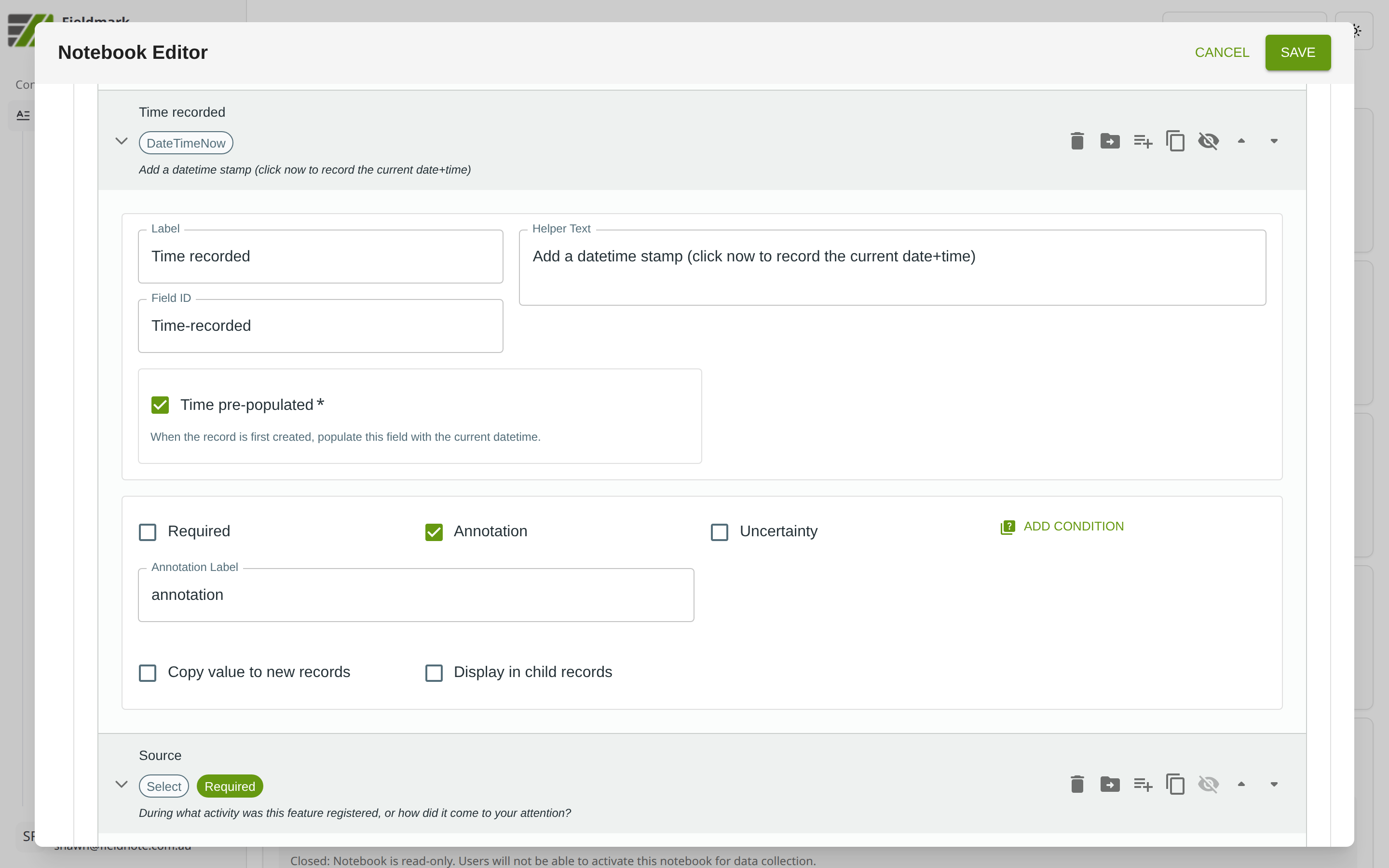
Give the field a meaningful Label, review the auto-populated Field ID, and add any desired Helper Text.
Date/Time with Now-Specific Settings
Setting |
What It Does |
|---|---|
Time pre-populated |
When enabled, the field is automatically filled with the current date and time when a new record is created. Collectors can still override the value. |
Tips
Date/Time with Now is the recommended default for all timestamps. One tap captures the current date and time with timezone information, ensuring synchronisation safety across team members in different locations.
Prefer Date/Time with Now for all date-and-time capture, not just current timestamps. Despite “Now” in the name, this field accepts arbitrary dates including historical ones.
The captured timestamp uses the device clock — remind field teams to sync their device clocks before starting work each day.
Migration Guidance
Existing Date and Time with Now button fields can be left in place and will continue to work.
For new templates, use Date time picker and tick Show “Now” button. The combined field supports both arbitrary date/time entry and one-tap “now” capture.